
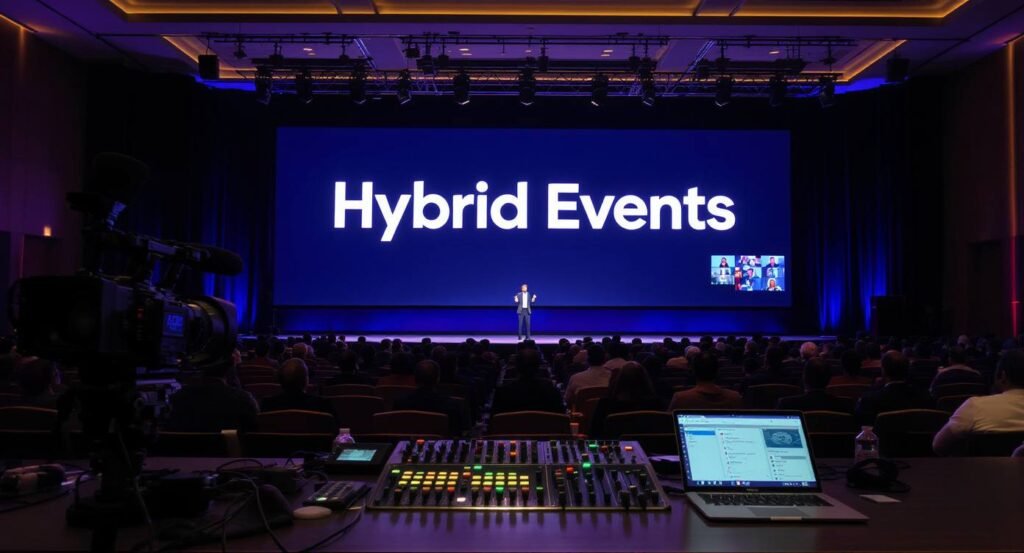
Hey there, event planner or tech enthusiast reading this—have you ever found yourself juggling a live audience in a conference room while trying to keep virtual participants hooked from their home offices? I remember my first hybrid event back in 2022. It was a small industry meetup turned virtual due to last-minute travel restrictions. I thought I had it all figured out with basic video calls, but chaos ensued when chat comments flooded in unchecked, derailing the Q&A.
That experience taught me a hard lesson: hybrid events aren’t just about blending physical and online worlds; they’re about creating seamless connections that feel real for everyone involved. If you’re nodding along, feeling that familiar frustration, this post is for you. We’ll talk through building a robust tech stack for hybrid events and share practical smart moderation tips to keep things smooth and engaging.
As someone who’s organized dozens of these setups—from corporate trainings to community gatherings—I’ve seen what works and what flops. Let’s break it down step by step, so you can avoid the pitfalls I stumbled into and host hybrid events that leave your attendees raving.
Understanding Hybrid Events: The Basics You Need to Know
First off, let’s clarify what hybrid events really mean. They’re gatherings that combine in-person elements, such as face-to-face networking, with virtual components, including live streams and online chats. Think of a wedding where guests attend in person, but far-flung family members join via video, or a business conference with onsite speakers and remote panelists.
In my early days, I underestimated how hybrid events demand more than just a good Wi-Fi connection. They require tools that bridge the gap between the two worlds, ensuring no one feels left out. For instance, during a team-building workshop I ran last year, the in-person crowd laughed at inside jokes, but virtual folks felt disconnected until we integrated interactive polls. That’s the magic—and the challenge—of hybrid events: making everyone feel present, regardless of location.
Why do hybrid events matter now more than ever? Post-pandemic shifts have made flexibility a must. People crave real interactions but appreciate the convenience of logging in from anywhere. If you’re planning one, start by assessing your audience’s needs. Are they tech-savvy? Do they prefer quick chats or deep discussions? Addressing these questions early sets the foundation for a successful hybrid event.
Don’t Miss: ConnectionCafe.com: Building Strong and Trusted Connections.
The Role of a Tech Stack in Successful Hybrid Events
Now, onto the heart of it: the tech stack. This is essentially the collection of tools and software that powers your hybrid events. Without a strong one, even the best-planned agenda can fall flat. I learned this the hard way at a product launch where our streaming lagged, frustrating online viewers and making the whole thing feel amateurish.
A good tech stack for hybrid events handles everything from registration to post-event analytics. It ensures high-quality audio and video, fosters interaction, and manages moderation to keep conversations productive. The goal? Create an experience where physical and virtual attendees interact effortlessly, like they’re all in the same room.
Consider your budget and scale. For small hybrid events, free tools might suffice, but larger ones need enterprise-level solutions. Always test your setup beforehand—trust me, a dry run saved me from a microphone mishap during a keynote once. In the sections ahead, we’ll cover the key pieces of this stack and how they tie into smart moderation.
Don’t Miss: Personal Growth Goals: Effective Planning for Success.
Essential Components of a Hybrid Events Tech Stack
Building a tech stack for hybrid events is like assembling a puzzle. Each piece fits together to form a complete picture. Here’s what I’ve found indispensable based on hands-on experience.
Video Conferencing Platforms: The Backbone of Hybrid Events
At the core of any hybrid event is reliable video conferencing. Tools like Zoom, Microsoft Teams, or Hopin allow seamless streaming between in-person and virtual participants. I favor Zoom for its breakout rooms, which let me split groups for targeted discussions—perfect for workshops.
Look for features like high-definition video, screen sharing, and integration with other apps. In one hybrid event I moderated, we used Teams’ live captions to make sessions accessible for non-native speakers, boosting engagement. Don’t forget bandwidth requirements; advise virtual attendees to check their connections to prevent dropouts.
Event Management Software: Streamlining Hybrid Events from Start to Finish
Event management platforms like Eventbrite or Cvent handle registrations, ticketing, and scheduling. For hybrid events, choose ones that support both online and offline check-ins. I once used Cvent for a seminar, and its analytics helped me track attendance patterns, revealing that virtual sign-ups spiked in the last week.
These tools often include CRM integrations, so you can follow up with leads post-event. If you’re dealing with paid hybrid events, secure payment gateways are key to building trust.
Don’t Miss: Career Advice Questions to Ask Mentor: Confident Master Tips.
Audience Engagement Tools: Keeping Participants Active in Hybrid Events
Engagement is where hybrid events shine or sink. Tools like Slido, Mentimeter, or Kahoot! enable polls, quizzes, and live Q&A. In a recent panel I hosted, Slido’s upvoting feature let the audience prioritize questions, making the session more democratic.
For virtual elements, consider AR filters or virtual backgrounds to add fun. Physical attendees might use mobile apps for networking, scanning QR codes to connect with online peers. The trick is balancing tools so neither group feels overshadowed.
Moderation Tools: Ensuring Order in Hybrid Events
Moderation tools are crucial for managing interactions. Platforms like Discord or integrated chat features in Zoom come with built-in controls. But for smarter moderation, look to AI-driven options like those in Webex, which flag inappropriate content automatically.
I’ll dive deeper into tips later, but remember: effective moderation in hybrid events prevents disruptions and encourages positive exchanges. From my experience, combining human oversight with tech makes all the difference.
Don’t Miss: Conversation Starters: 30 Effective Questions for Any Crowd.
Smart Moderation Strategies for Hybrid Events
Moderation isn’t just about silencing trolls—it’s about guiding conversations to be inclusive and valuable. In hybrid events, where chats can explode with input from both sides, smart moderation keeps the energy high without letting things spiral.
I’ve moderated events where unfiltered comments turned sessions toxic, but with the right approach, you can turn potential chaos into collaborative gold. Here are tips drawn from my trials and triumphs.
Tip 1: Implement AI-Powered Moderation in Your Hybrid Events
AI tools can scan chats in real-time for spam, hate speech, or off-topic remarks. Services like Google Cloud’s Content Moderation or built-in features in platforms like Twitch work wonders. During a virtual town hall I organized, AI caught repetitive spam, freeing me to focus on meaningful interactions.
Start by setting sensitivity levels—too strict, and you stifle discussion; too lax, and issues arise. Train the AI on your event’s context for better accuracy. In hybrid events, this tech ensures virtual voices aren’t drowned out by in-person noise.
Tip 2: Train Moderators for Real-World Hybrid Event Scenarios
No tool replaces a skilled human. Train your team on spotting biases, handling conflicts, and promoting inclusivity. I always run pre-event simulations, role-playing tricky situations like heated debates.
Assign roles: one for chat monitoring, another for Q&A curation. In a hybrid event last summer, our trained moderators seamlessly wove virtual questions into live panels, making everyone feel heard. Share feedback post-event to improve.
Tip 3: Establish Clear Guidelines for Hybrid Events Participation
Set rules upfront—post them in invites, on the event page, and remind during intros. Guidelines might include “Keep comments respectful” or “One question at a time.” This sets expectations and reduces moderation needs.
From personal experience, when I enforced a “no self-promotion” rule in a networking hybrid event, discussions stayed focused and productive. Make guidelines visible in chats and on screens for reinforcement.
Don’t Miss: Events in Chicago This Weekend: Amazing Local Events to Try.
Tip 4: Use Real-Time Analytics to Guide Moderation in Hybrid Events
Analytics tools track engagement metrics like chat volume or sentiment. Platforms like Google Analytics or event-specific dashboards help. If chats slow, prompt with questions; if they heat up, intervene early.
In one hybrid event, analytics showed virtual drop-off during long talks, so we moderated by inserting polls. This data-driven approach keeps moderation proactive, not reactive.
Tip 5: Foster Inclusive Participation Across Hybrid Events
Encourage input from all—use features like hand-raising in video tools or anonymous submissions. Address time zones by recording sessions for later viewing.
I recall a global hybrid event where we rotated speaking slots to suit different regions, and moderation ensured quieter voices got airtime. This builds community and loyalty.
Overcoming Common Challenges in Hybrid Events
Even with a great tech stack and moderation, hurdles pop up. Tech glitches? Have backups like secondary streams. Unequal engagement? Rotate focus between groups.
Budget constraints often worry planners—start small with free tools and scale. Privacy concerns? Use GDPR-compliant platforms. In my journey, addressing these head-on turned potential failures into successes.
Real-Life Examples: Hybrid Events That Nailed It
Take a corporate hybrid event by a tech firm I consulted for. Their stack included Zoom for video, Slido for engagement, and AI moderation. Smart tips like guideline reminders kept sessions on track, resulting in 90% positive feedback.
Or a nonprofit fundraiser: They used affordable tools, trained volunteers, and analytics to boost donations by 40%. These stories show that with the right approach, hybrid events can exceed expectations.
Wrapping Up Your Hybrid Events Journey
As we finish this chat, think about your next hybrid event. With a solid tech stack and these smart moderation tips, you’re set to create memorable experiences. I’ve shared my bumps and breakthroughs to help you sidestep them. What’s one tip you’ll try first? Drop a comment or reach out—let’s keep the conversation going. If you’re ready to plan, test a tool today and see the difference. Your attendees will thank you.
For more useful articles, visit my website: Connectioncafee.com.